
How to install C/C++ Compiler in Mac OS M1 Big Sur
Running a C/C++ program varies between different operating systems. However running it in visual studio code is pretty simple and does not requires any rocket science, just follow the steps mentioned in this article and you’ll be good to go. So let’s learn How To Install C/C++ Compiler on Mac OS.
Video Tutorial: How to Install C/C++ Compiler in Mac OS
If you’re still finding it hard installing C/C++ compiler in your Mac machine then you can refer to the below video for a complete guide.
👉 Click Here To Enroll in Complete C++ Programming Course: Go From Beginner to Beyond with an additional discount.
👉 Click Here To Enroll in Complete C Programming Course: Go From Beginner to Master with an additional discount.
Install MinGW Compiler
1) Firstly we will download the C++ compiler for our Mac machine and for that we’re going to download the MinGW compiler. So press Cmd+space, type terminal in the search bar and press enter.

2) In the terminal window copy the code provided below and press enter, this will install Homebrew in your Mac system. If asked for password, enter it as well. Also this process may take some time so have patience.
Intel Mac:/bin/bash -c "$(curl -fsSL http://bit.ly/homebrew_techdecode)"
M1 Mac : arch -x86_64 /bin/bash -c "$(curl -fsSL http://bit.ly/homebrew_techdecode)"
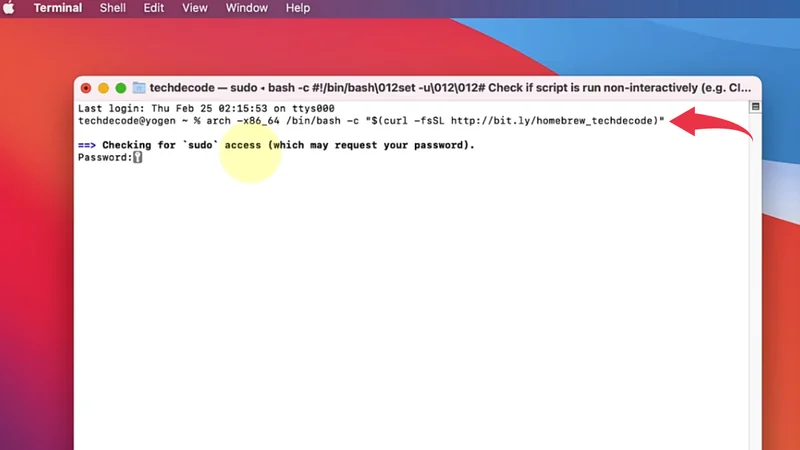
3) Now we’ll install MinGw compiler on your Mac OS, simply paste the below-provided code and press enter, this process may also take some time. There will be a progress bar showing the percentage of download that has been installed.
Intel Mac: brew install MinGW-w64
M1 Mac: arch -x86_64 brew install mingw-w64
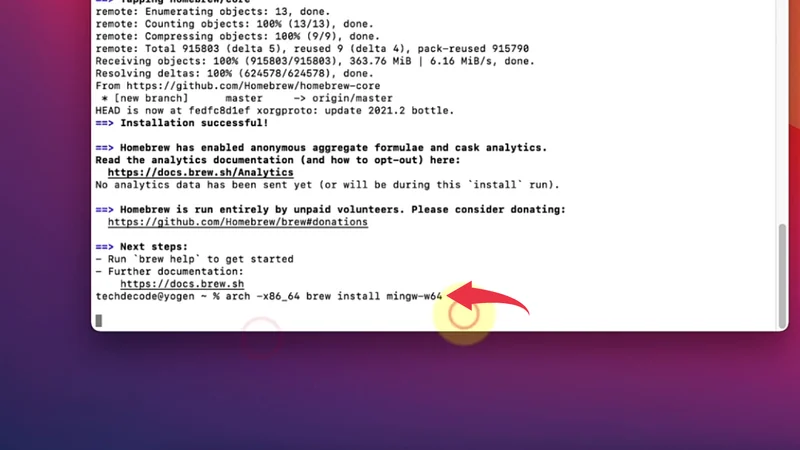
4) After successful installation of MinGW compiler your terminal window will look somewhat similar to the below image.
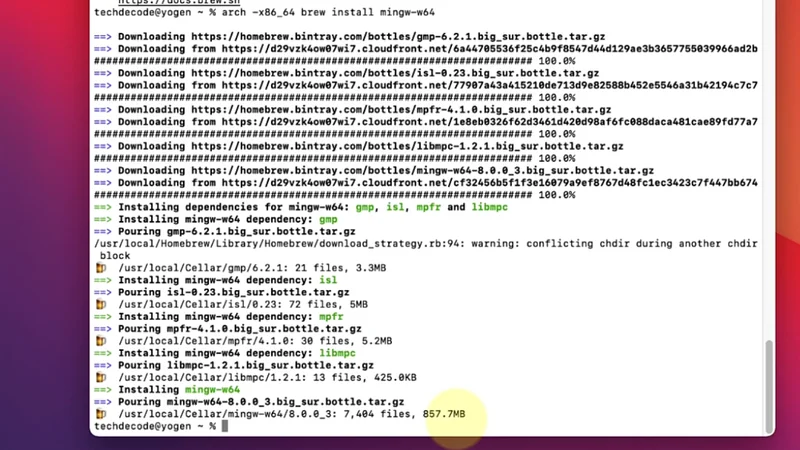
Congratulations you’ve successfully installed MinGW compiler in your Mac machine.
👉 Click Here To Enroll in Complete C++ Programming Course: Go From Beginner to Beyond with an additional discount.
👉 Click Here To Enroll in Complete C Programming Course: Go From Beginner to Master with an additional discount.